
Writing a prescription
The prescription builder has drug suggestions, frequency presets, and a PHC-standard layout. Output as PDF, print, or WhatsApp.
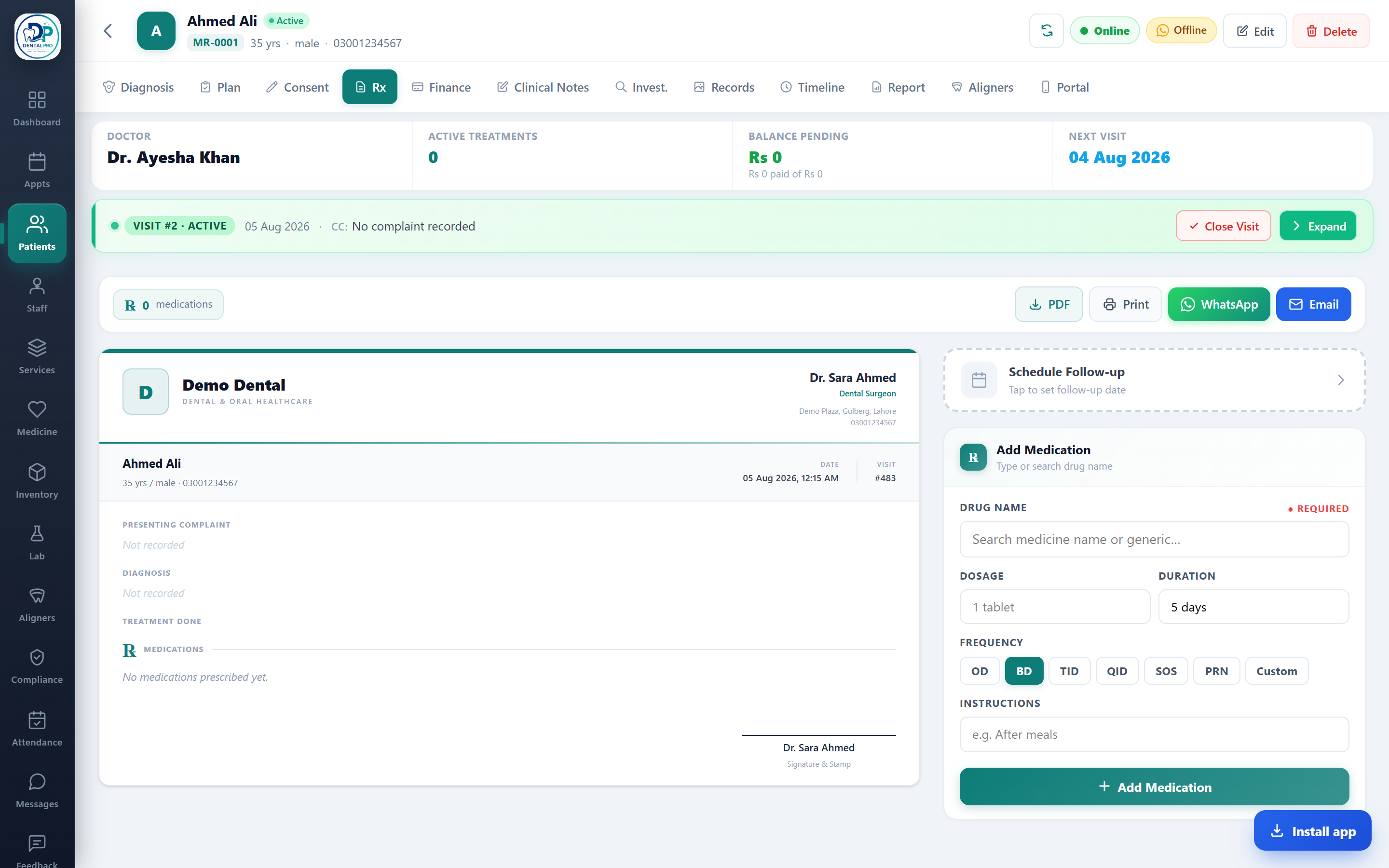
Open the Rx tab
On the patient’s chart, tap Rx.
Add medicines
Type a drug (suggestions appear), then set frequency (OD, BD, TID, QID, SOS, PRN or custom) and duration. Toggle the sections you want: vitals, complaint, diagnosis, investigations, follow-up.
Choose a template & send
Pick from 15+ print templates (PHC Standard Punjab, clinical, hospital, minimal and more), then Download PDF, Print, or send on WhatsApp.
Medicines come from your own formulary — manage it under Medicine so the suggestions match what you stock.