
Charting a diagnosis
Open a patient and the Diagnosis tab shows the FDI dental chart. Marking a tooth, and turning findings into a treatment plan, is designed to be fast at the chair.
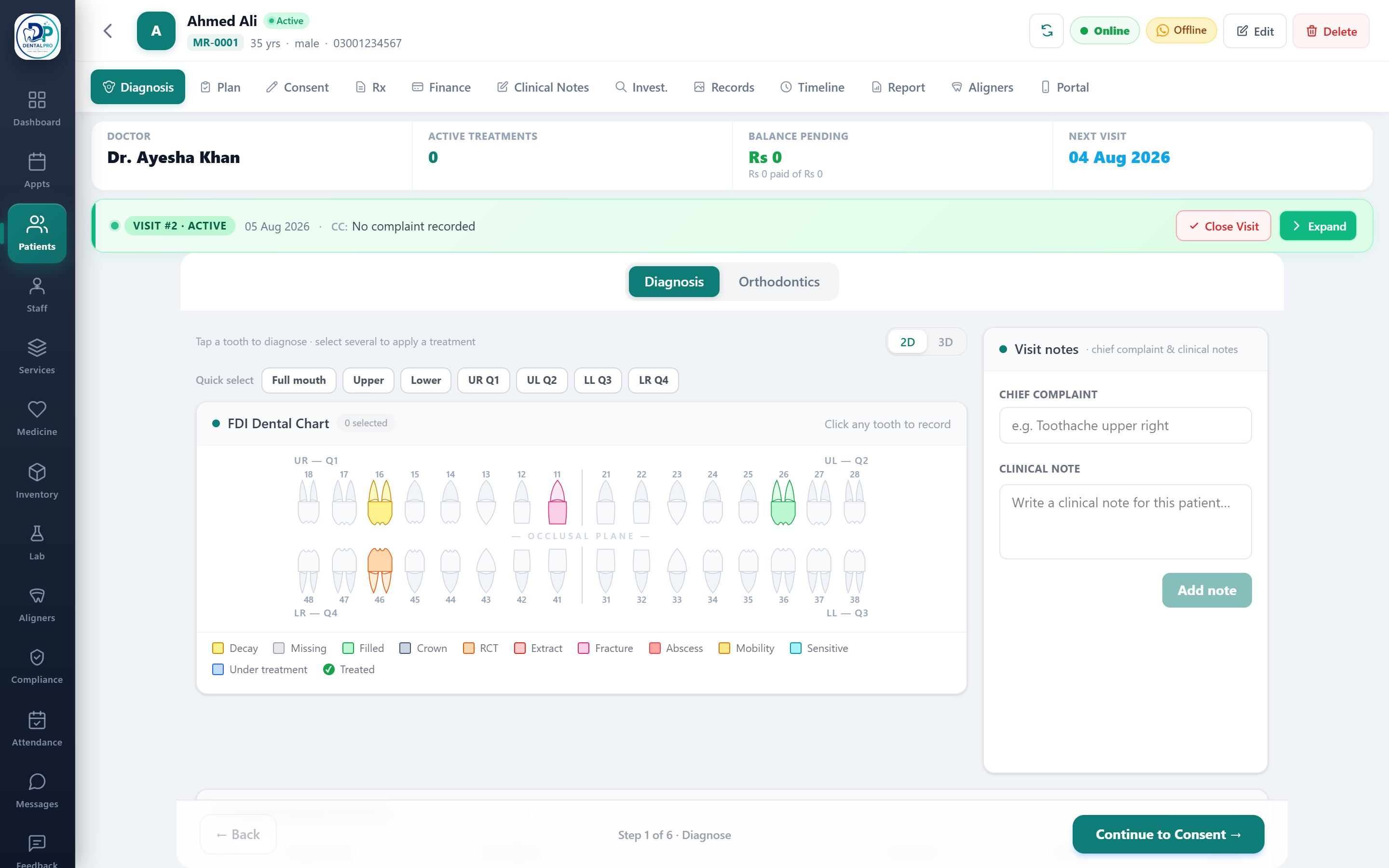
Open the patient’s chart
From Patients, tap a patient. Their chart opens on the Diagnosis tab.
Mark a tooth
Tap any tooth to record a condition (decay, filled, RCT, fracture and more). The tooth recolours so the whole team can read it at a glance.
Select several teeth at once
Use Quick select — Full mouth, Upper, Lower, or a single quadrant — then apply a condition or treatment to all of them together.
Turn it into a plan
With teeth selected, tap Apply treatment to add costed items, then move through Consent, Prescription and Payment in the same guided flow.