
Invoicing & collecting payments
Every patient has a Finance tab: bill services, collect cash or card, handle installments, and see a running ledger of charges and payments.
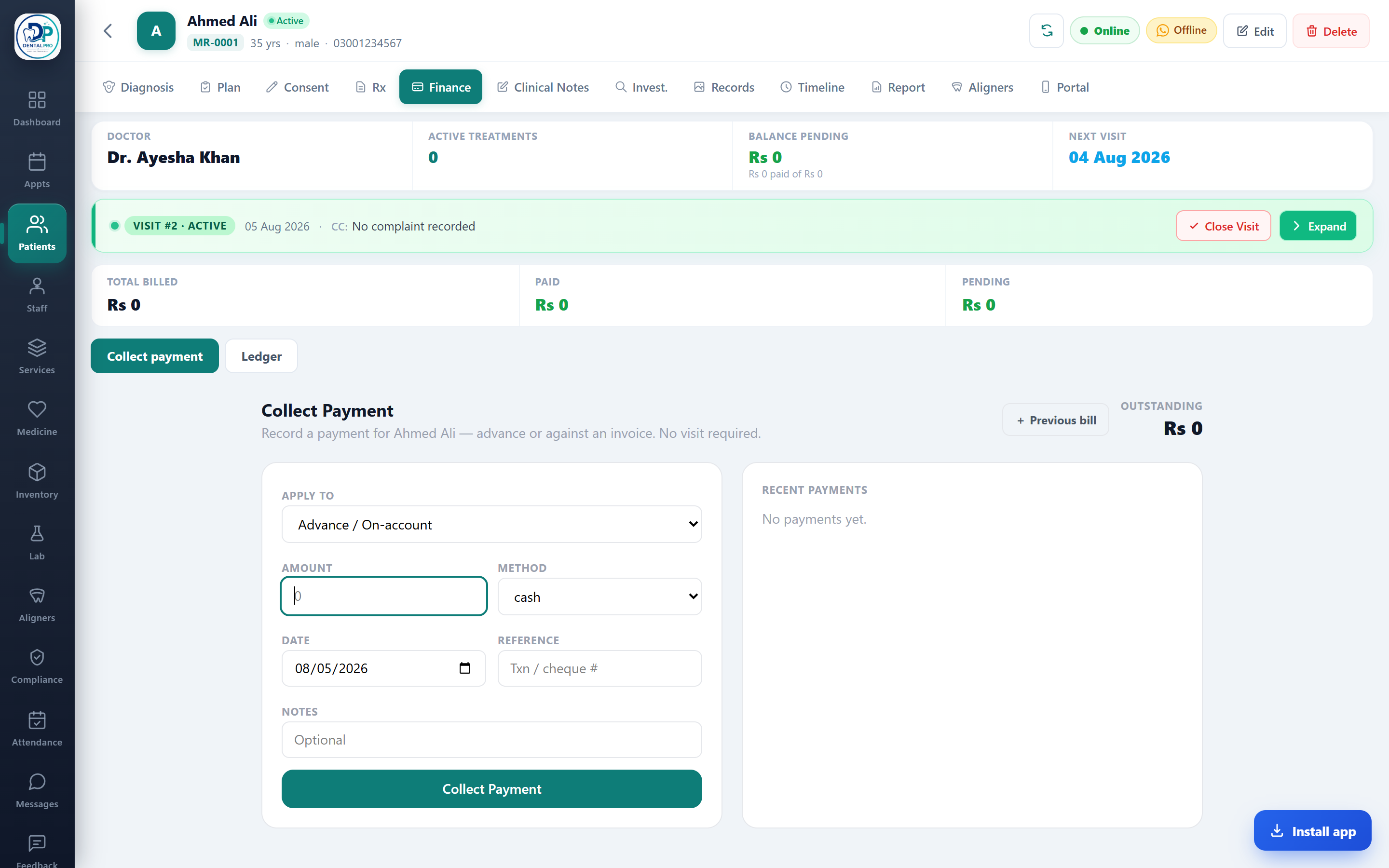
Open the Finance tab
On the patient’s chart, tap Finance. Toggle between Collect payment and the Ledger.
Build the bill
Add services from your catalogue (prices are locked to the catalogue), apply an approved discount, and any tax.
Collect
Take a full or part payment by cash, card or other method, split across methods if needed, and print the receipt.
Everything flows into Accounting automatically, and edits/reversals are audit-logged with before-and-after values.